
Ask anything about your books
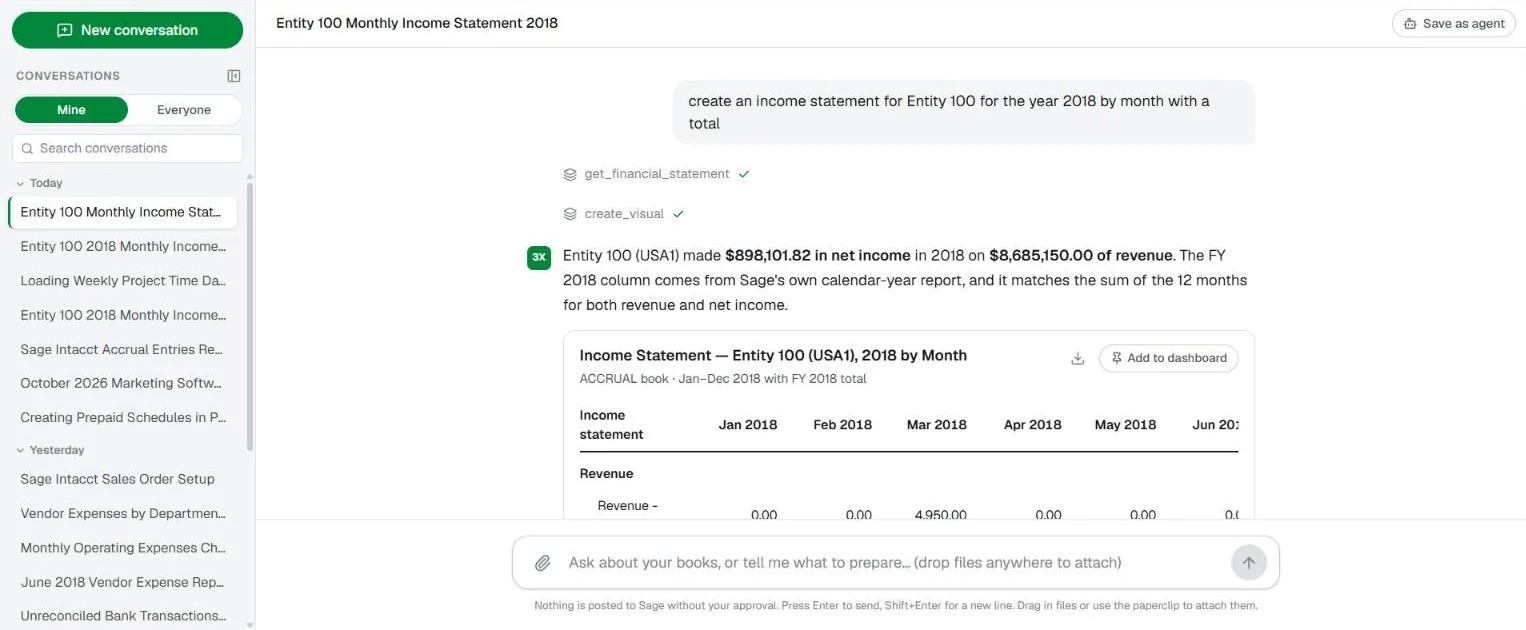
Type a question the way you'd ask a colleague. The assistant pulls the answer from Sage Intacct's own reports, checks it, and shows it as a statement, table or chart.
- Income statements, balance sheets, aging, flux, vendor and customer questions
- By entity, department, project or any dimension you use
- Add any answer to a dashboard with one click
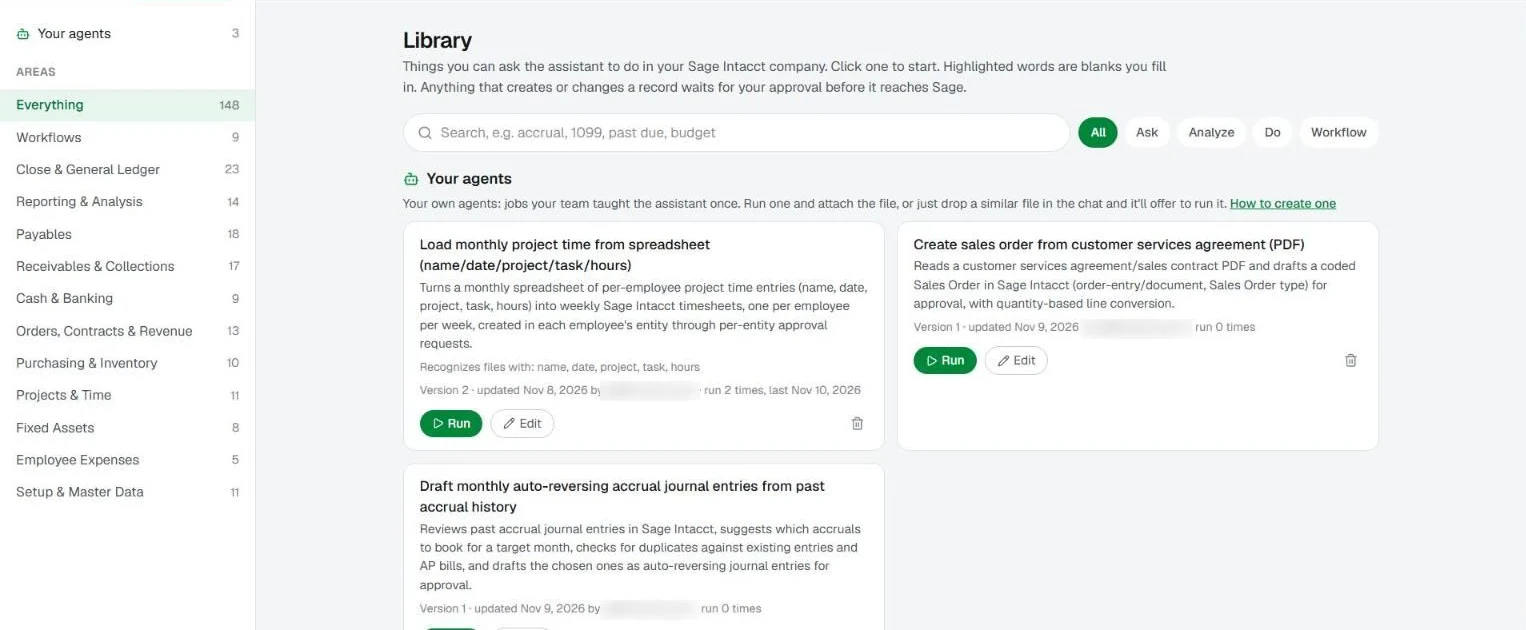
Build your own agents
Teach the assistant a job once, like loading a timesheet export or turning a services contract into a sales order, and save it as an agent. Next month, run it again with one click, or just drop the new file in the chat.
- No code: you build an agent by doing the job in a conversation
- Agents are shared with your team and versioned
- 150+ ready-made requests in the Library to start from
Agents that work on a schedule
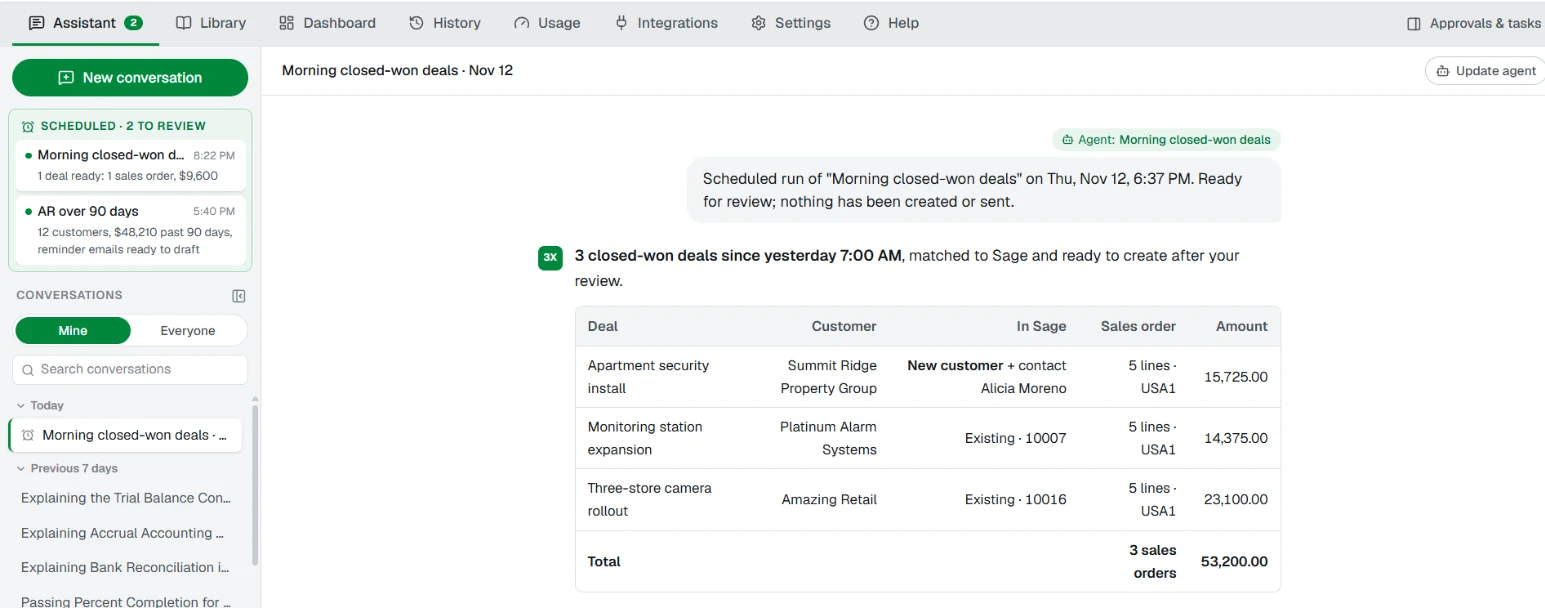
Put any agent on a schedule and it does the legwork before you log in. Each morning, it pulls what's new, matches it to Sage and lays out exactly what it would create. The results wait for you to review and chat about. Nothing is created until a person has looked.
- Every workday, certain days, or a day of the month, in your time zone
- Results wait under Scheduled, ready to open, review and turn into an approval
- Coming next: new closed-won deals from HubSpot or Salesforce, ready as customers and sales orders each morning
An integrations library that automates your process flows
Connect Sage Intacct to your email, your CRM and the other tools your team runs on. Your agents move the work between them on their own: a closed deal becomes a customer and a sales order, a report goes out by email, a file lands and gets coded. You just review and approve.
- Connect once for the whole company; each person links their own email
- Agents automate the hand-offs between your systems, on a schedule or as work arrives
- A growing library, so more of your process runs itself every month
- 1Deal closes in your CRM
- 2Agent prepares the sales order
- 3You approve it
- 4It's posted to Sage
It prepares the work, you approve it
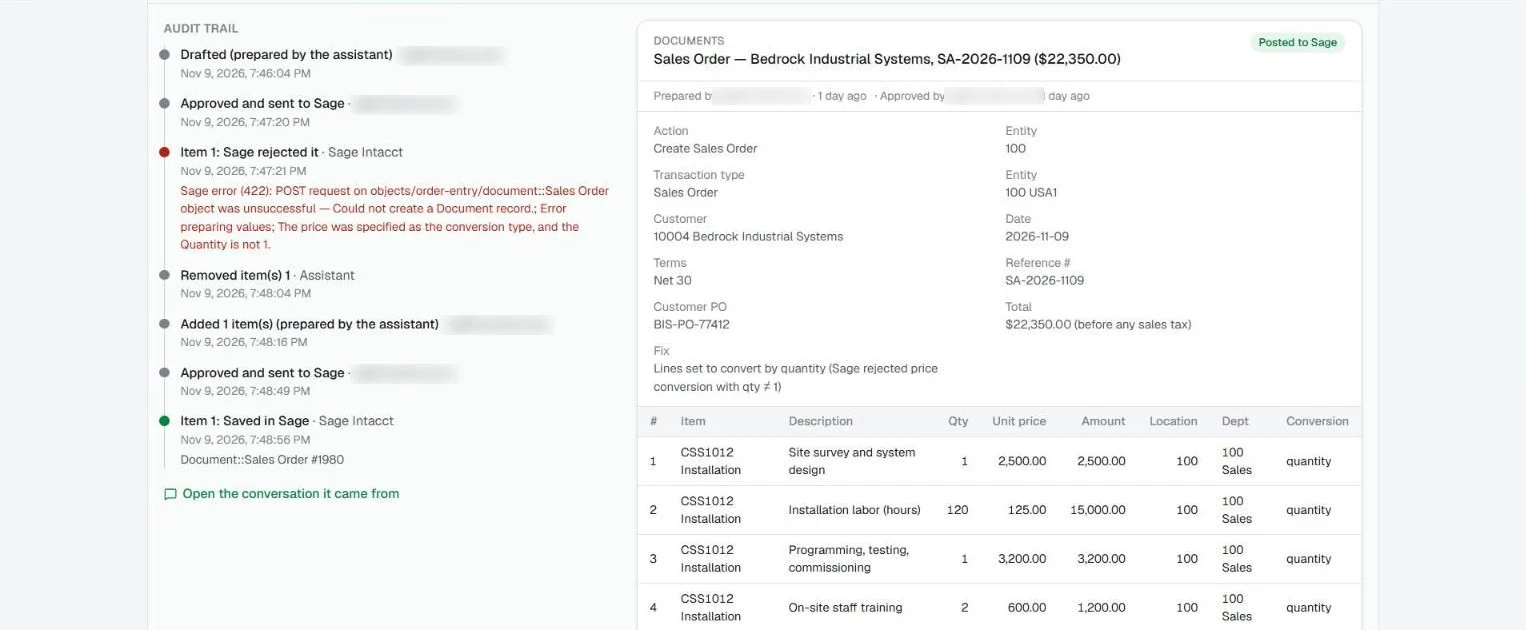
Journal entries, bills, invoices, sales orders and timesheets are drafted for review. Nothing is written to Sage until a person approves it, and if Sage rejects something, the assistant fixes it and asks again.
- The approval card shows exactly what will be sent to Sage
- Roles for preparers and approvers, with an option to require a different person to approve
- Every step is kept in an audit trail
Dashboards, ready-made and your own
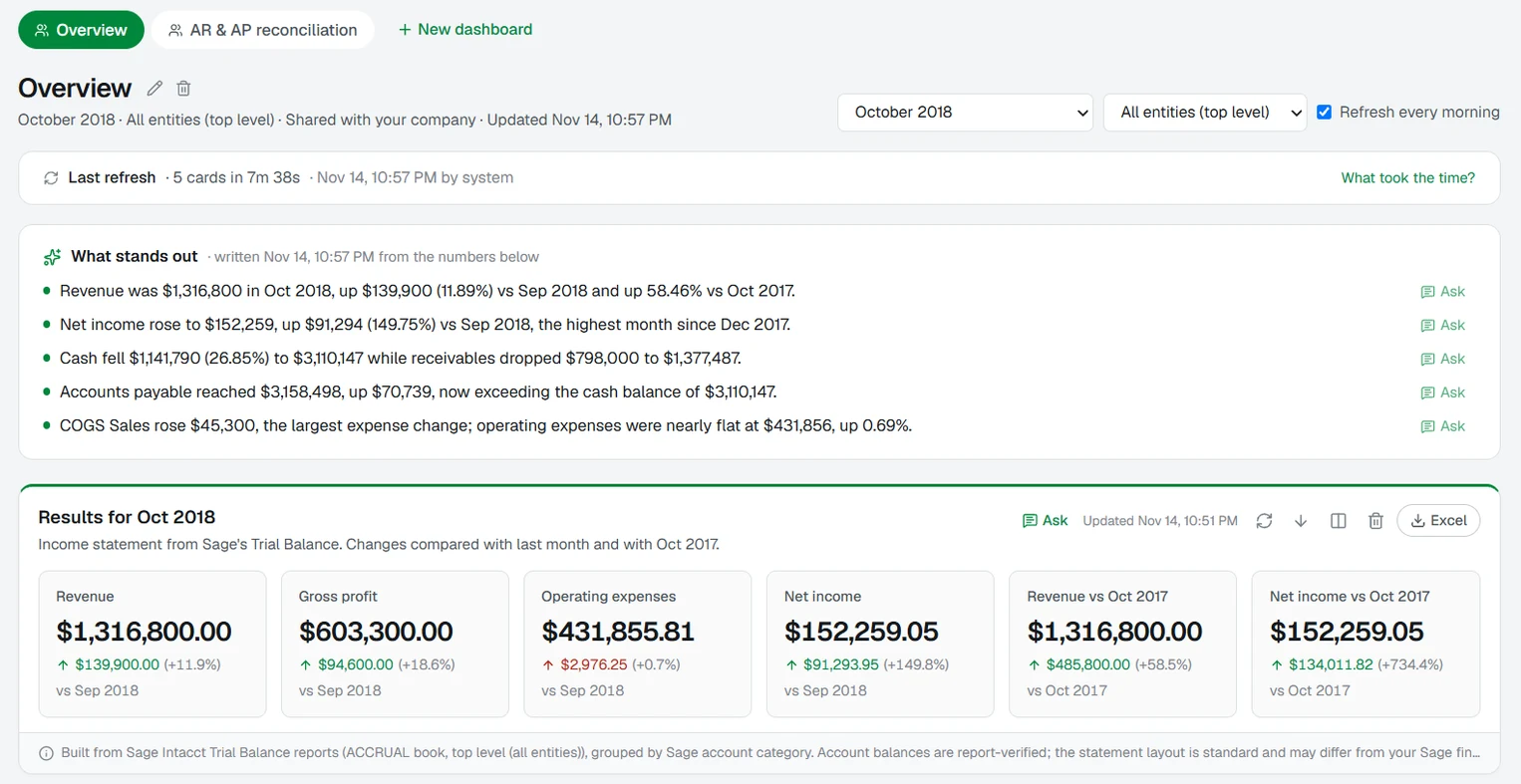
Two dashboards are built for you the moment you connect: an overview of the business, and AR and AP tied to the general ledger by entity, with the differences explained. Then build your own from any answer: ask for the chart or table you want and pin it. A close dashboard, a cash dashboard, a board pack, one per entity.
- Keep a dashboard private or share it with your company
- Set any dashboard to refresh every morning, with what stands out written from the numbers
- Ask a question about any card, or print and export to PDF and Excel
A full history of who did what
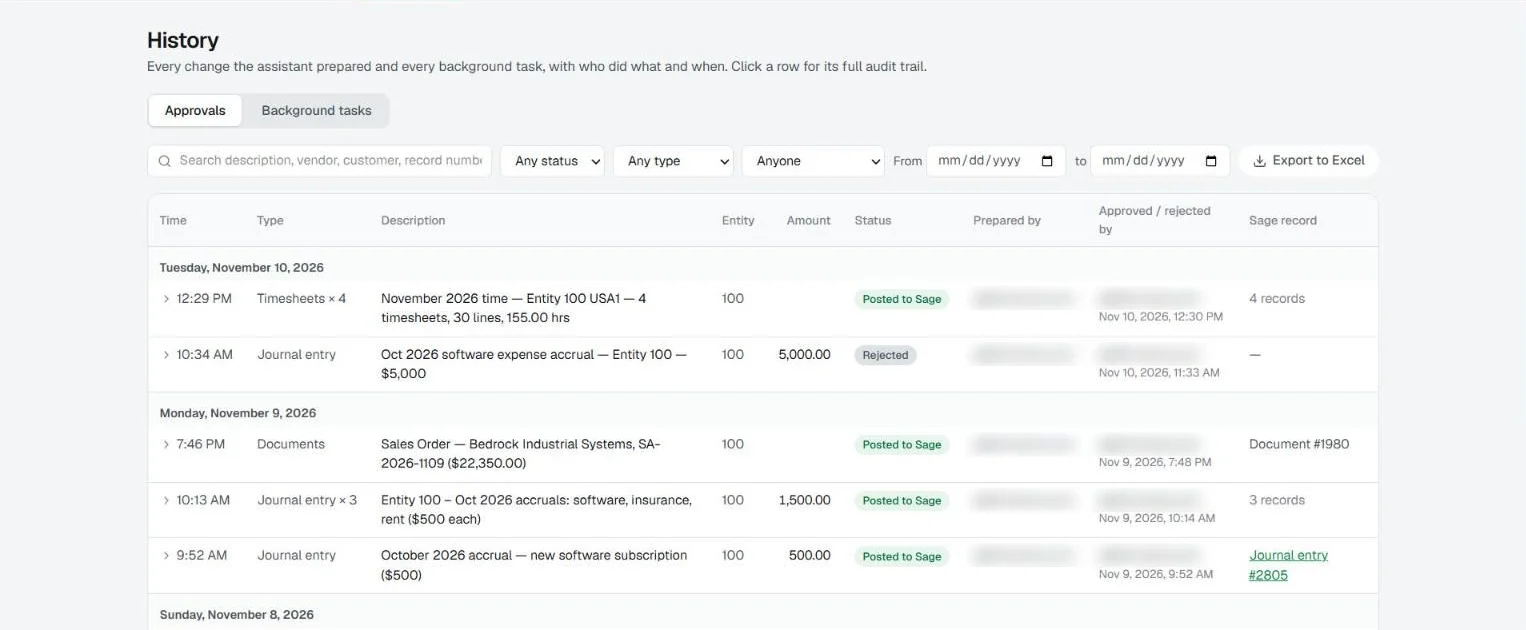
Every change the assistant prepared, who approved or rejected it, and the record it created in Sage. Search it, filter it, and export it to Excel for your auditors.
- Every record is traceable to Sage
- Filter by person, type, status and date
- Export to Excel
What you need to start
A Sage Intacct company with a Web Services subscription (sender ID). The setup guide walks you through connecting, step by step.
Two-step sign-in for every user, encrypted connections and secrets, and nothing posts without approval. Security details
$250/month for up to 5 users, or $375/month for 6 to 20 users, per company. The first month is free.